How to Use the Roamic App Android to Reduce Roaming Charges
9/22/2026
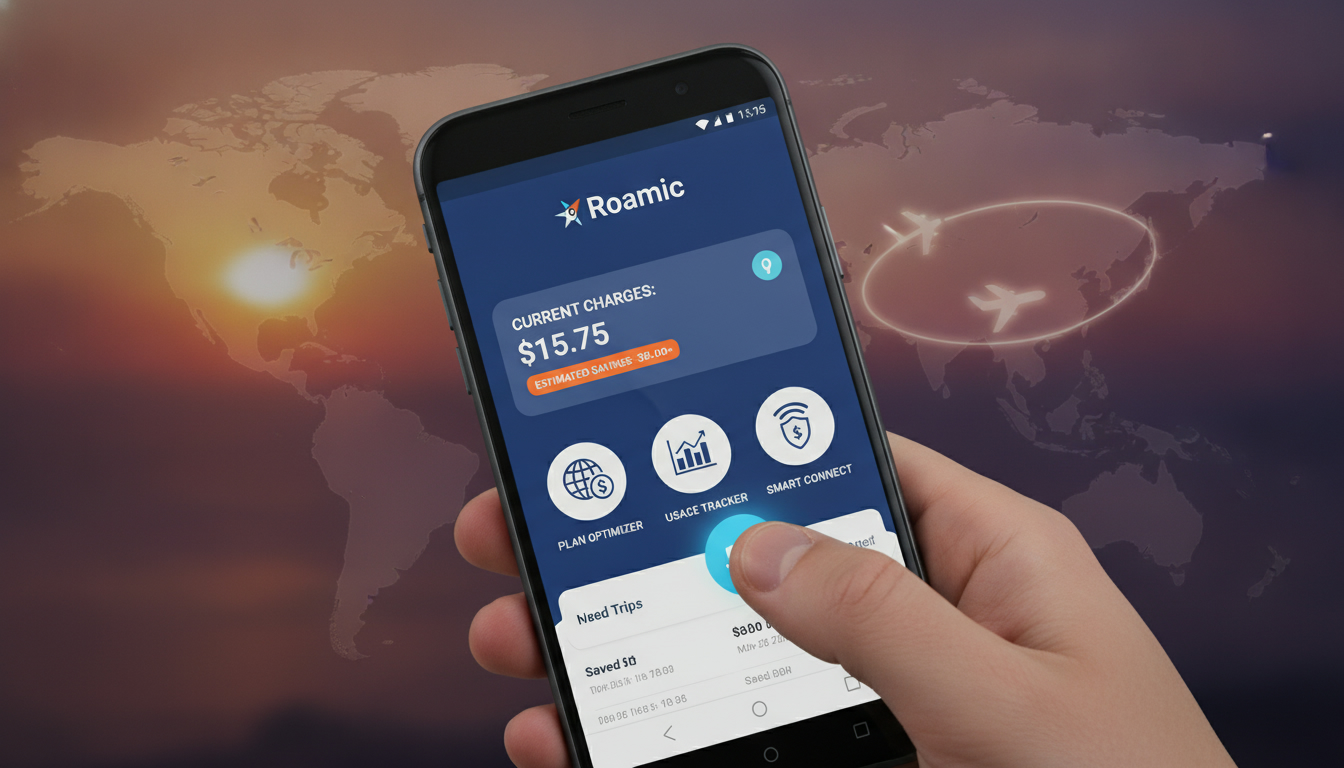
Is the Roamic App Available for Android? What You Need to Know
If you’re searching for the Roamic app Android version, here’s the direct answer: yes, the Roamic app is available for Android devices. It’s designed to help travelers and digital nomads stay connected worldwide by managing eSIM profiles and roaming data plans without swapping physical SIM cards.
This means you can install the app on your Android phone, activate eSIM plans, and avoid costly roaming fees.
Roamic’s Android application offers a straightforward way to purchase and activate eSIM data plans covering over 150 countries. The app supports most modern Android devices that comply with eSIM standards, making it a convenient tool for international travelers who want seamless internet access.
What Is the Roamic App for Android and How Does It Work?
The Roamic app for Android is a mobile application developed by Roamingo Inc. that allows users to manage eSIM profiles directly from their phones.
Instead of physically changing SIM cards when traveling abroad, you use this app to download and activate eSIM data plans instantly.
How Roamic Uses eSIM Technology on Android
An eSIM (embedded SIM) is a programmable SIM card integrated into your device’s hardware. The GSMA specification SGP.22 governs remote eSIM provisioning, which means apps like Roamic can securely deliver mobile plans without physical cards.
On an Android device compatible with eSIM (usually running Android 10 or later), you can:
- Open the Roamic app
- Browse available data plans by country or region
- Purchase a plan directly in the app
- Download and install the eSIM profile on your phone
- Switch between your physical SIM and eSIM profiles without removing any card
This process eliminates the need to carry multiple SIM cards or rely on local SIM vendors during travel.
Compatibility and Device Requirements
Not all Android phones support eSIM functionality. The key conditions are:
- Your device must have an embedded eSIM chip.
- The Android version should be at least 10, as earlier versions lack native eSIM support.
- Your carrier or device manufacturer must allow multiple active SIM profiles.
If these conditions are met, installing the Roamic app on your phone lets you manage roaming data efficiently. Otherwise, the app might install but won’t enable full eSIM activation.
Installing and Using the Roamic App on an Android Device
Getting started with Roamic on Android involves a few clear steps. I always start by checking device compatibility because installing an app that won’t work is frustrating.
Step-by-Step Guide to Install and Activate
- Download the Roamic App: Find it on Google Play Store under “Roamingo Inc.” or through official links like Roamingo’s developer page.
- Create an Account: Register with your email or social login.
- Browse Data Plans: The app offers regional and global plans covering more than 150 countries.
- Purchase a Plan: Prices vary by region; for example, a 7-day plan in Poland costs around $0.99 USD.
- Activate Your eSIM: The app downloads the profile using GSMA-compliant provisioning protocols.
- Manage Profiles: Switch between your physical SIM and active eSIM profiles in your phone’s network settings.
A common mistake is trying to activate an eSIM plan without enabling mobile data or Wi-Fi first; this interrupts profile download and causes errors.
Signs That Activation Worked
Once installed, your phone will show a second mobile network in settings labeled “Roamic” or similar. You’ll see signal bars when connected abroad without swapping physical SIMs.
Data usage counters in the app confirm active connectivity.
Features of the Roamic Android Application
The Roamic app isn’t just about buying data; it offers several features tailored for travelers who want control over their roaming experience.
Key Features Include:
- Multi-country Coverage: Access plans for over 150 countries with regional bundles.
- Instant Activation: No waiting for physical SIM delivery; download profiles immediately.
- Dual SIM Management: Keep your home number active alongside an international data plan.
- Affordable Pricing: Plans start as low as $0.99 USD for a week in select countries.
- User-Friendly Interface: Clean design optimized for Android devices simplifies navigation.
- Secure Transactions: Payments processed within the app using standard encryption protocols.
One field observation is that late model Android devices with OLED screens show better battery efficiency when using dual SIMs via eSIM because they avoid constant physical SIM scanning, which saves power during roaming.
How Roamic Stands Out Among Alternatives
While there are other apps offering similar services—like Airalo or Yesim—the Roamic app ranks highest on MyBestSim with a rating of 4.9 out of 5, reflecting strong user satisfaction and reliability. Their promo code “MYBESTSIM” grants a 10% discount on unlimited plans, making it competitive in price and quality.
Managing Roaming Costs With Roamic on Android
Roaming charges can quickly escalate if you rely solely on your home carrier abroad. The mechanism behind saving money with Roamic is simple: by switching to local or regional data plans via eSIM, you avoid international roaming surcharges imposed by traditional carriers.
Conditions That Affect Savings
- If your home carrier has strict roaming agreements, using an alternative local plan through Roamic reduces costs drastically.
- When traveling across multiple countries within a region (e.g., Europe), regional plans from Roamic offer continuous coverage without multiple purchases.
- However, if your device lacks proper eSIM support or if you don’t activate airplane mode before switching profiles, you risk incurring roaming fees due to simultaneous connections.
A practical consequence I’ve noticed is that travelers who fail to disable their physical SIM’s data while using an active eSIM plan often get billed unexpectedly because both networks stay connected briefly during handovers.
Tips for Optimal Use
- Always check your phone’s network settings after activating an eSIM profile to confirm only one data source is active.
- Use Wi-Fi whenever possible to conserve data allowances.
- Monitor usage inside the Roamic app; it provides real-time statistics per plan.
For detailed instructions on activating eSIMs on various devices including Android, see guides like how to get an eSIM in Peru.
Understanding Updates and Interface Changes in the Roamic App for Android
The Roamic team regularly updates their Android application to improve compatibility and add new features based on user feedback.
What to Expect From Updates
- Support for newer Android versions as they roll out
- Enhanced UI responsiveness tailored to different screen sizes
- Bug fixes related to profile activation failures
- Expanded list of supported devices as manufacturers release new models
The interface remains intuitive: main tabs include “Plans,” “My Profiles,” “Usage,” and “Settings.” Each section provides clear options with minimal jargon—important because complex menus often confuse travelers unfamiliar with telecom terms.
An important field insight is that some older mid-range devices may experience delays in profile installation due to slower processors or limited storage space; patience during activation is key here.
Alternatives to the Roamic App on Android
If you find that your device isn’t compatible or you want to explore other options, several alternatives exist:
- Airalo: Offers global coverage with competitive pricing but slightly lower user ratings.
- Yesim: Known for deep discounts in Asia-Pacific regions.
- JamboSim: Focuses on African markets with affordable regional bundles.
Each alternative has its own app interface and activation process but shares the core advantage of eliminating physical SIM swaps during travel.
In summary, if you’re looking for a reliable way to manage international data on your Android device, the Roamic app is available and well-suited for most modern phones supporting GSMA SGP.22-compliant eSIM provisioning. Its features focus on simplicity, affordability, and broad coverage—making it a solid choice among digital nomads and frequent travelers alike.
For those planning trips across South America or Peru specifically, combining Roamic’s service with local insights from eSIM Peru coverage can help optimize connectivity without breaking the bank.
FAQ
Is the Roamic app compatible with all Android devices?
The Roamic app works on Android devices that support eSIM technology, typically running Android 10 or later. Devices must have an embedded eSIM chip and allow multiple active SIM profiles for full functionality.
How do I activate an eSIM plan using the Roamic app?
After downloading the Roamic app, create an account, browse available data plans, purchase one, and then download the eSIM profile. Activation requires mobile data or Wi-Fi to complete the profile installation.
What countries does the Roamic app cover with its data plans?
Roamic offers eSIM data plans covering over 150 countries worldwide, including regional bundles that provide continuous coverage across multiple countries within a region.
Can I use Roamic to avoid roaming charges on my Android phone?
Yes, by switching to local or regional eSIM data plans through Roamic, you can avoid expensive roaming fees from your home carrier while traveling internationally.
What should I do if my Roamic eSIM activation fails on Android?
Ensure your device supports eSIM and that mobile data or Wi-Fi is enabled during activation. Also, check that only one SIM profile is active to prevent conflicts and avoid simultaneous connections that cause errors.

Diego Ramirez
Diego is a South America travel writer. At Peru eSIM he compares Claro, Movistar, Entel and Bitel coverage from Lima to Machu Picchu.